Projects The iOS App
The builds passed Apple review and reached nobody.
My private iPhone app, built entirely by agents: the release that reached nobody, the voice note I lost, and the guardrails each one left behind.
Agents write all of the code in my iPhone app. It’s private, so you can’t install it. I can show you what real phones did to that code, and what each failure left behind.
The Empty Room
For a while, my app opened to a sign-in screen that said “Development mode” and could never finish. Production builds were carrying the sign-in key from the wrong environment, so the app signed in to a system whose tokens the real API rejects.
That’s an ordinary bug, and it got fixed. The fixed builds uploaded cleanly. They passed Apple’s beta review. They were distributed.
The screen still said “Development mode.”
The release script had created its own TestFlight group with zero testers, and that’s where the fixed builds went. The real testers were enrolled in an older group, installing an old build from before the fix. Distributing to an empty group succeeds silently, so no step failed. Apple had reviewed my build for an audience of nobody.
Now the script counts testers before it builds anything. If every target group is empty it stops, unless someone sets an explicit override. The error reads:
The upload would succeed and reach nobody while testers keep installing the previous build.
It also refuses any build whose sign-in key prefix doesn’t match its environment.
The Note I Lost
I dictated a long voice note into my phone, pressed Send, and lost it.
The most likely cause: Auto-Lock backgrounded the app partway through, the on-device transcriber fell behind, and Send sat waiting on it with the transcript held only in memory. Talking for several minutes with the phone set down is what broke it.
A retry wouldn’t have saved it. The fix changes where the words live.
Every settled phrase goes to disk now, with the audio kept beside it. Auto-Lock is off while recording. The note enters an outbox before any network call, and the server is idempotent on an id the phone generates, so a retry can’t create a second copy. Recording starts above the sign-in gate, before any fetch, so pressing the Action Button works with no session and no signal.
| Stage | Where the words are | If it fails |
|---|---|---|
| Button press | Nowhere yet | With no session and no signal, recording starts anyway |
| Recording | Audio on disk, draft on disk after each settled phrase | If the app is killed, draft and audio are already on disk |
| Send | Draft, audio, outbox | |
| Finishing | Draft, audio, outbox | A stalled transcriber is waited on up to the cap, then the note sends what it has. An empty transcript is redone from the kept audio |
| Saved on this phone | Draft, audio, outbox | |
| Uploading | Draft, audio, outbox, and possibly the server | With no signal the note stays in the outbox. After an upload error the app asks the server whether the note landed before calling it unsent |
| Processing | Draft, audio, outbox, server |
Send gives the transcriber up to 5 seconds plus half the unprocessed audio, capped at 90 seconds, then sends what it has. The shape came from measuring. On a Mac, the same code finalized a 6.4-minute note fed in all at once in about 7 seconds, so finish time tracks the backlog. The limit leaves far more room than that, since a phone isn’t a Mac.
Line chart of the longest Send will wait on the transcriber against the unprocessed audio. The limit starts at 5 seconds with no backlog and rises by half a second for each second of backlog, reaching the 90 second cap at 170 seconds of backlog. It stays flat at 90 seconds from there, and then the note sends what it has.
A long note can outlast the gateway’s time limit while the server keeps working, so after an upload error the app asks the server whether the note landed before calling it unsent.
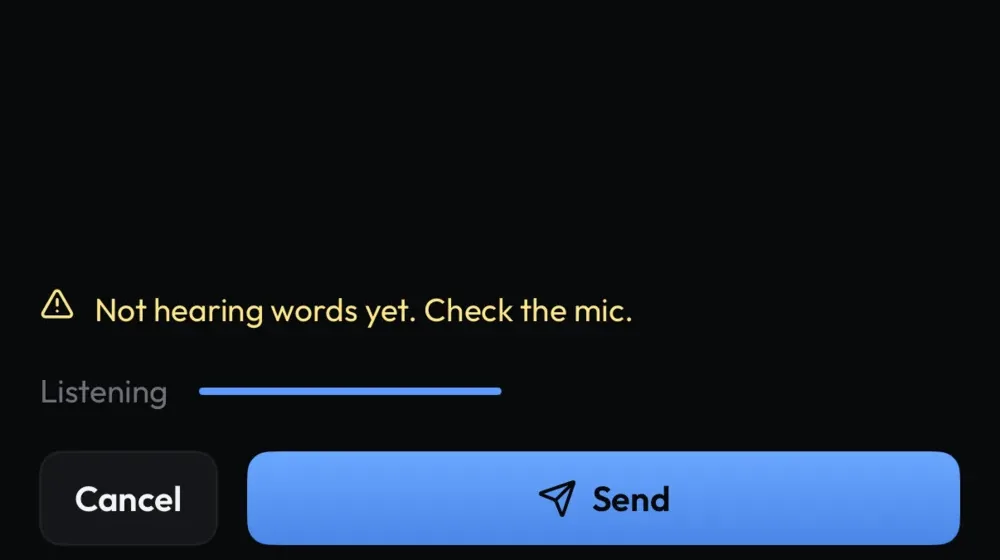
The app also has to prove it’s listening. If no audio reaches the transcriber after 4 seconds, it warns with a haptic and says so on screen. If the mic hears sound and no words have come back after 6, the warning reads: “Not hearing words yet. Check the mic.”
Each failure has its own test: a stalled transcriber, the app killed, an empty transcript redone from the kept audio.
The Spec Asked for Swipe
The spec asked for swipe on the morning briefing screen. Put a custom drag gesture on a row inside a SwiftUI ScrollView, though, and that row becomes a vertical-scroll dead zone. Start your thumb on it and the list doesn’t move. A short list hides it. The code comment states the actual problem: “the two-minute read is mostly scrolling.”
The agent confirmed it in the simulator and overruled the spec. It shipped long-press menus paired with VoiceOver custom actions, and recorded the deviation in a code comment and in the PR.
A later test scans the source of a group of newer screens and fails if DragGesture appears at all. Its failure message names the alternatives, so the next agent gets the answer along with the rejection.
That test doesn’t cover the briefing screen itself, and an older swipe component with the same trait still ships.
A Wrong Font Raises No Error
The navigation title kept falling back to San Francisco. The brand font was set through an appearance API, and an earlier fix didn’t stick either. A wrong font passes every test. The only proof is pixels.
So when I wrote the prompt for an overnight agent run, I filed it as “recurring, never sticks” and named that path as the problem. The prompt required replacing it with a plain SwiftUI text view and checking on a simulator that the rendered glyphs were the brand font. It also says “I’m going to sleep and want to wake up to a merged build.” Its checklist closes with this:
Don’t claim anything passes without the command output / screenshot that proves it.
Nobody is awake to review that run, so the evidence has to be part of the assignment. The title is a plain text view now.
A screen can look right and use the wrong icon set. So other design rules are written as tests that read the Swift source. One walks every app and extension file and fails if an SF Symbol creeps into a view, naming the file and line. Another asserts that the skeleton loader honors reduced motion and that the design doc itself still states the loading rule. They assume the author won’t remember the rules, which is a safe assumption about any author.
Where it stops: CI runs no Swift and the release path runs no tests, so those fire only when someone runs the Swift suite.
The rule with teeth is the color check in the Stack, which fails on a raw hex value in iOS source on a runner that can’t compile Swift.
The Button That Moved
The Play button used to jump about 26 points whenever a song gave way to the gap before a station ID, because the text above it lost two lines. You tap that screen without looking. Now a hidden copy of the text at its tallest possible size holds the slot, removed from the accessibility tree so VoiceOver doesn’t read a ghost, and a test asserts the rendered height stays the same across states.
Schematic of the Radio screen in two states. With a song on air the text slot holds a title, an artist and a reason. Between songs it holds one line and the rest of the slot stays empty. The slot is the same height in both, so Play sits at the same height in both.
What a Phone Does That a Browser Won’t
On the web, I redeploy and everyone is on the new code. A native app runs old code against a new server, and one unrecognized value in a list would throw and take the whole list down with it.
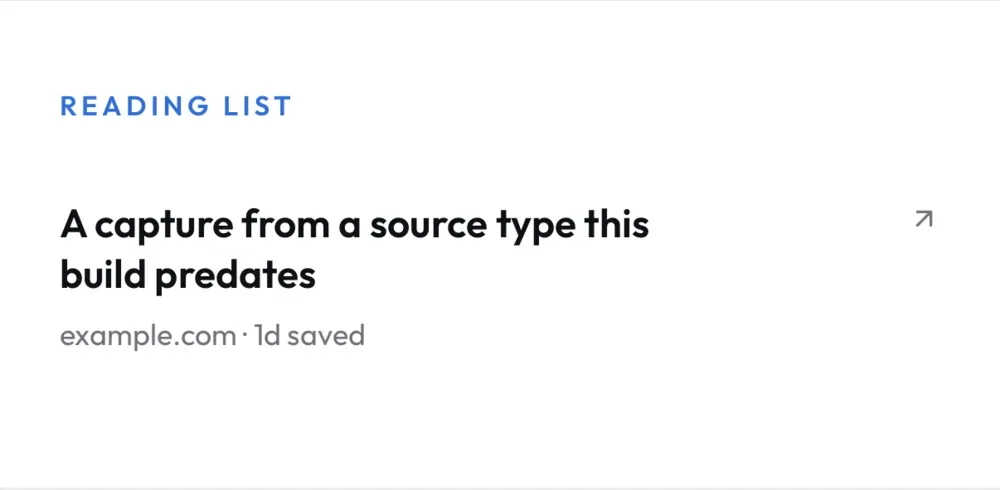
The notification and edition enums now decode unknown values to a safe sentinel, which is stripped when preferences are saved so it never gets echoed back. That covers selected enums, not every one. Reading rows keep their type as an open string and fall back to a plain card for one they don’t know, and a launch fixture exists whose only row is a type the build predates.
The deployment floor stays well below the newest OS. The on-device language model is weak-linked, so the app still launches without it and its preview doesn’t appear. Voice capture itself requires a recent OS.
The app got the same “You’re already signed in” loop as the Dashboard, for its own reason. A failed token refresh had made the app decide I was signed out while the auth provider still held a live session. “I couldn’t check” had turned into “you’re signed out.” Now a failed refresh retries once with a fresh token, and the app signs out only if the provider no longer holds a session.
Tokens for background work are pinned to the account that started it and re-checked after the await, “so an old sync can never receive the next owner’s token.” This is a private app. There is no line of next owners. The check stays anyway.
Linux Can’t Build an iPhone App
So it doesn’t try. A merge that touches the app only writes its commit SHA to a cloud parameter. A Mac mini checks that parameter every five minutes and does the build and upload itself.
The Mini’s job can read the request and can’t change it, so the request is never consumed. It can’t get lost when the Mini is asleep or a poll fails, and a burst of merges collapses into one build. The last-uploaded marker moves only on success, so a failed upload tries again on the next poll.
- Merge to mainA merge that touches the app writes its commit SHA to a cloud parameter, and that’s all.
- The SHA stays thereThe Mini’s job can read it and can’t change it, so the request is never consumed.
- Poll, every five minutesMini asleep, or a poll failsThe request is still there at the next poll.
- Git ancestry check: buildThe request isn’t in the last upload yet.Git ancestry check: skipThe request is already inside the last upload. A neutral poll, which never counts as a failure.
- Count testersBefore it builds anything.Every target group is empty: stopThe upload would succeed and reach nobody while testers keep installing the previous build.Unless someone sets an explicit override.
- Build and uploadCurrent main, not the requested commit.The upload tool exits nonzeroAsks App Store Connect whether this exact build arrived, polls until it’s valid, and retries distribution only. No rebuild.
- The last-uploaded marker movesOnly on success. The heavy stretch is a burst of merges, collapsed into one build.The attempt failed: the marker staysSo the next poll tries again.Second consecutive failed attemptAn email with the last error lines, at most every six hours, then one recovery note.
Then the uploads started breaking in ways no pull request touched. launchd left the locale as ASCII, and the tooling crashed on non-ASCII build output. A missing iOS platform made uploads fail silently for hours.
The silent one produced the guardrail. The second consecutive failed attempt sends an email with the last error lines, at most every six hours, then one recovery note. Polls with nothing to upload never count, and a problem with the alert can’t change the uploader’s exit code.
When the upload tool exits nonzero, the script asks App Store Connect whether this exact build arrived, polls until it’s valid, and retries distribution only, with no rebuild. It’s the voice note again: an error from the tool means go look.
Fixtures Are Layout Evidence
Nearly every screen can launch into synthetic data from a command-line argument, with no sign-in or server, including empty, error and stale states. Those launch paths are compiled out of Release. The voice note accepts an injected transcript or a simulated dead mic, so a failure state becomes something an agent can launch and photograph instead of something it has to reproduce.
Fixtures count as evidence for layout and explicitly not for anything that touches server data.
The Xcode project file isn’t in the repository at all. A YAML spec generates the targets and the entitlement wiring, and agents are told never to hand-edit the result. They drive the simulator through a CLI that returns a screenshot plus the accessibility tree and targets elements by label, so the labels VoiceOver needs are the same ones the automation depends on.
Their instructions for that CLI carry a written warning: taps during animations can land on stale coordinates while still reporting success. So the tool’s own success message goes on the list of things that need a screenshot.