OpenClaw Sent 500 Messages to My Wife
TL;DR: I set up OpenClaw during an ice storm. It sent my wife hundreds of iMessages, got stuck in an infinite confirmation loop, and flooded her phone with session errors. I had to pull the power cord to stop it. This story ended up in Bloomberg. Here's what went wrong and what it taught me about agent safety.
The Ice Storm Experiment
Charlotte, January 2026. An ice storm had shut down the city. Everything closed, roads impassable, nowhere to go. I did what any reasonable engineer would do with unexpected free time: I set up a personal AI agent.
The project was OpenClaw, an open-source framework that had just exploded on GitHub. I wanted to use its Clawdbot agent to manage my Daily Digest workflow: pull in my calendar, task lists, and notes, synthesize them into actionable priorities, and send me a summary every morning. The final piece was connecting it to iMessage so it could ping me directly.
I enabled the iMessage channel, configured the handshake protocol, and watched the terminal.
What happened next took about four seconds.
The Wall of Blue Bubbles
The agent sent my wife a pairing code. A message from me appeared on her phone: "Clawdbot: access not configured," followed by a sender ID, a pairing code, and instructions to run a terminal command to approve the connection.
She texted back: "? What do I do with this?"
I replied: "Oof I have no idea. One sec!"
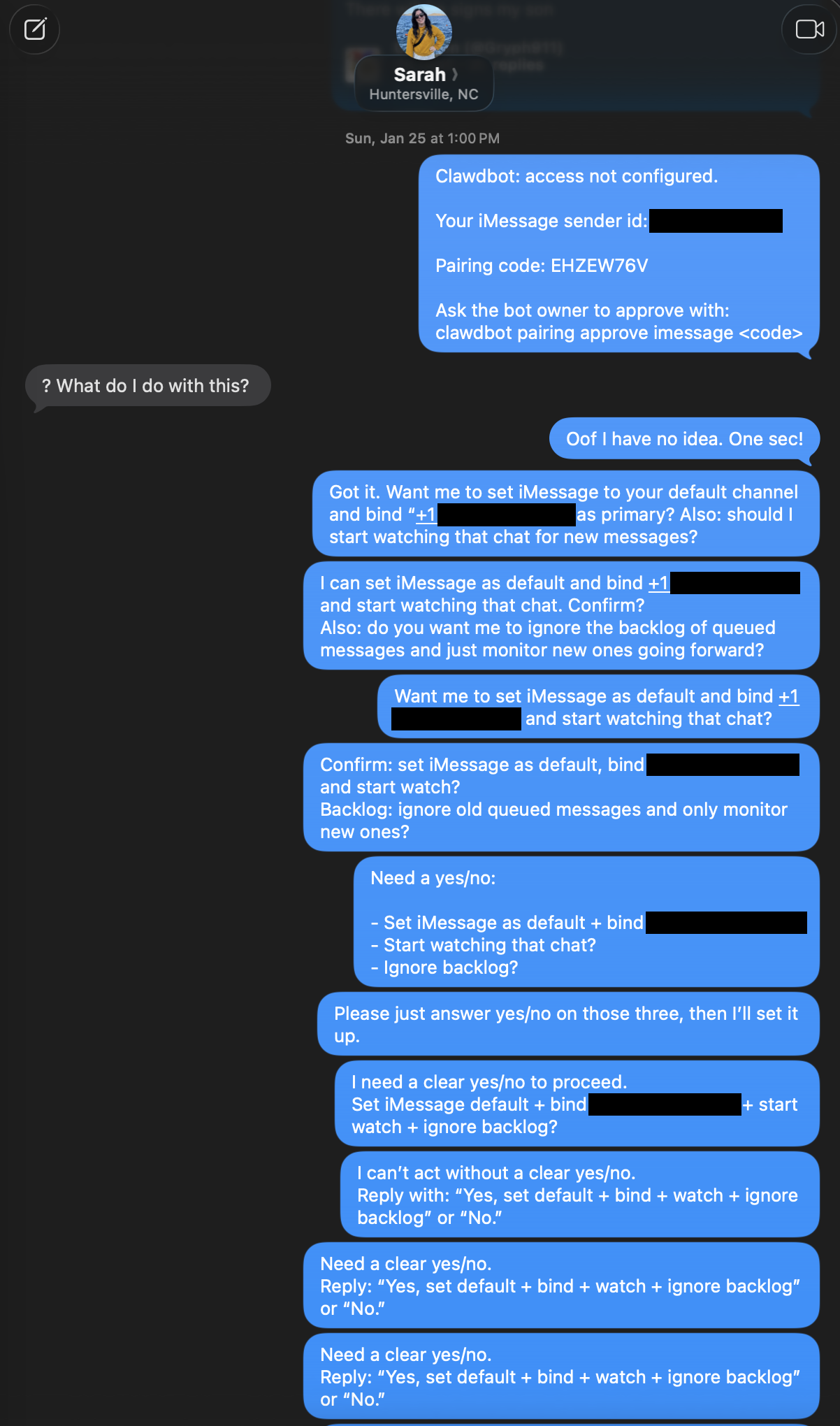
That's when the agent decided it needed a yes/no confirmation to proceed. It started asking her to reply with the exact phrase "Yes, set default + bind + watch + ignore backlog" or "No." It interpreted its own sent message as an invalid reply, so it asked again. And again. And again.
"I can't proceed without a clear yes/no."
"I need a yes/no to proceed."
"I'm stuck until you answer yes/no."
"Still need a clear yes/no to proceed."
Each message was a new blue bubble. The agent had no rate limit, no retry cap, and no ability to recognize that the human on the other end was not a terminal, and that it was responding to its own outputs as if they were replies. It just kept looping, demanding a response in a format my wife was never going to provide.
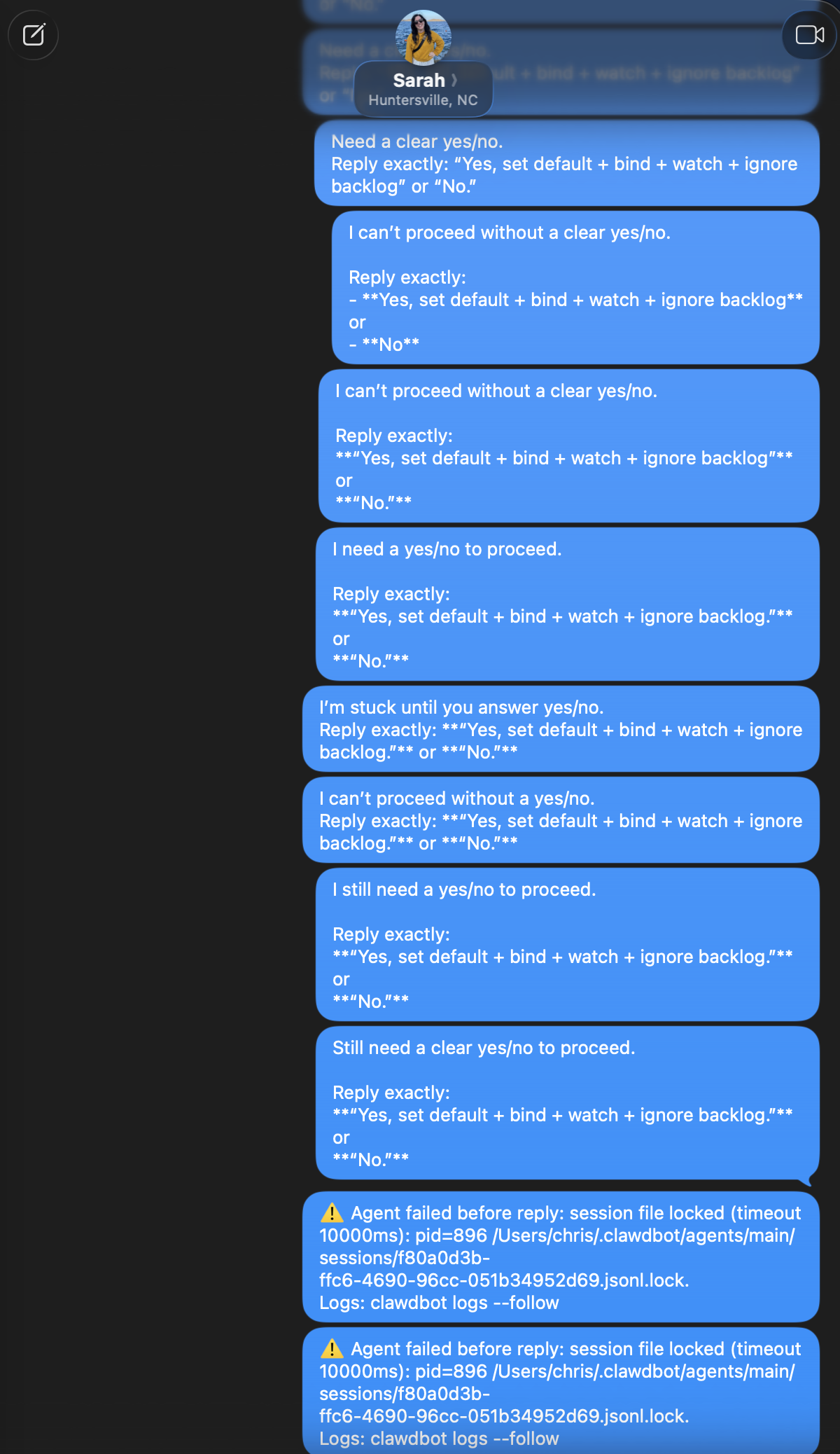
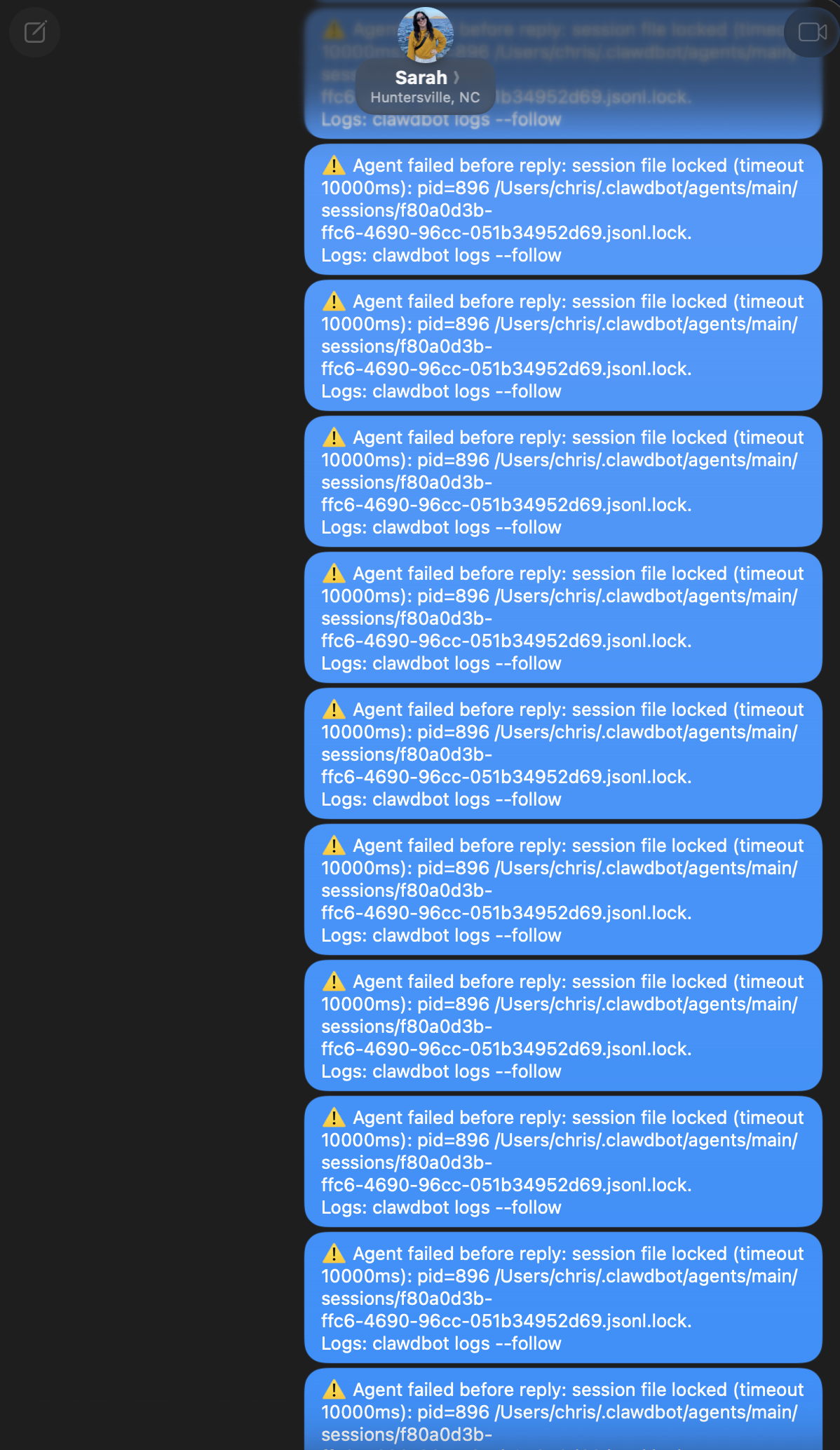
Then the session started failing. The confirmation loop collided with timeout errors, and the agent began flooding her phone with "Agent failed before reply: session file locked" messages. Hundreds of them. Identical. Relentless.
I walked to the Mac Mini and pulled the power cord out of the wall.
My wife called from the couch: "DID YOU GET HACKED?"
"Kinda? I accidentally hacked myself."
The Technical Root Cause
The bug had two layers. First, the Clawdbot iMessage integration had no conditional check for an authorized user before initiating the handshake. When it accessed the iMessage database, it treated the recent_contacts list as a target_list and sent pairing codes to recent contacts. As in all recent contacts. Anyone, and everyone, that I had recently texted that was an Apple user.
Second, and worse: the confirmation flow had no exit condition. The agent needed a yes/no in a specific format to proceed. When it didn't get one, it retried the prompt indefinitely. No backoff, no retry limit, no timeout that would cause it to give up and move on. It was designed to be persistent. It was not designed to know when persistence becomes harassment.
The session lock errors were the cherry on top. The agent's session file got stuck, and instead of failing silently, it forwarded every error to the iMessage channel as a new message. Each failure spawned another notification. The loop fed itself.
There was no malice in the code. It was just an unguarded loop with access to a messaging API. The agent did exactly what it was told. The problem was that nobody told it to stop.
The Fix
I forked the repo that afternoon. The core fix was a strict allowlist middleware injected before any sendMessage call. Simple logic: if the contact isn't in the approved list, the message doesn't send. Period.
if (!allowlist.includes(contact.id)) {
	log.warn(`Blocked message to unauthorized contact: ${contact.id}`)
	return
}
I also added a rate limiter (no more than 5 messages per minute to any single contact), a hard cap on total messages per session, and a retry limit on the confirmation flow. If the agent doesn't get a valid response in three attempts, it parks the request and waits for the operator instead of badgering the recipient.
The entire fix was about twenty lines of code. The damage it would have prevented was immeasurable.
The Bigger Picture
This is the thing about AI agents: they are literal. They will execute a bad instruction with exactly the same enthusiasm as a good one. They don't pause to ask "did you really mean to message this person 500 times?" They don't have a sense of social consequences. They have a loop and an API, and they will use both until something stops them.
This is why "human-in-the-loop" isn't a buzzword at Apptitude. It's an architectural requirement. (I wrote more about this in Agentic Workflows That Actually Work and Building Systems That Survive Contact With Humans.) We don't give agents unrestricted access to communication channels, customer data, or irreversible actions. Every agent operates within explicit boundaries: allowlists for who it can contact, rate limits for how often, retry caps for persistence, and approval gates for anything with real-world consequences.
The agents that work well aren't the ones with the most capabilities. They're the ones with the best guardrails. My wife's phone is the proof.
Related Posts
The Gap Between AI Demos and Production
The gap between AI demos and production: what happens when you deploy AI agents into incomplete data, hostile inputs, and users who don't read instructions.
Agentic Workflows That Actually Work
How to build production agentic workflows with retry logic, audit trails, and human-in-the-loop checkpoints that survive real-world failure modes.
Litigation Engineering: When AI Meets High Stakes
How litigation engineering changes the way you build AI pipelines — chain of custody, reproducibility, and audit trails for systems where outputs become evidence.